






Table of contents
Running a news or media company involves balancing a variety of tasks like articles, videos, podcasts, and social media. You need a smart system to keep everything organized and functioning properly. That’s where a Dynamic CMS (content management system) comes in.
A good content management system (CMS) makes it easier to generate, manage, and exchange material across several platforms but a smart one does even more, just like the Corporate CMS offered by HabileLabs. It empowers you with real-time media updates, customizable workflows, reusable components, and effortless scalability, designed to keep your audience engaged and your brand always ahead.
The pressure to remain competitive is tremendous, as digital publishing is predicted to generate over $27 billion in revenue by 2027. Having the customizable CMS solution simplifies content workflows, improves collaboration, and ensures consistency across all channels, regardless of your business size. In this article, you'll discover the key traits to look for in a dynamic CMS for news and media and why they are essential for digital publishing success.
Challenges of News and Media Websites
Despite advancements in technology, choosing the right CMS for news and media platforms can still be tricky. If you're not using a CMS solution, or you choose the wrong one, here are some common issues you must be facing:
-
SEO Problems - SEO-friendly features like changing meta tags and creating clean URLs are not supported by legacy CMSs. Your news articles will have a harder time ranking highly on search engines as a result.
-
Content Structure Issues - Some news stories are brief updates, while others are lengthy reads. Your freedom is restricted because not all CMSs manage the length variation well.
-
Regular Upgrades - CMS platforms are regularly updated with new versions. If you don’t keep up with the updates, you might run into compatibility problems or end up facing higher expenses in the long run.
-
Ad Revenue Limitations - Not all CMSs offer ad integration even though media organizations are dependent on advertisements. This makes it challenging to monetize effectively in today's media platform environment.
-
Publishing Workflow Gaps - Without clear user roles and permissions, managing who can edit or publish content becomes chaotic, affecting the overall quality and control.
Top CMS Features That Empower Media & Publishing Organizations
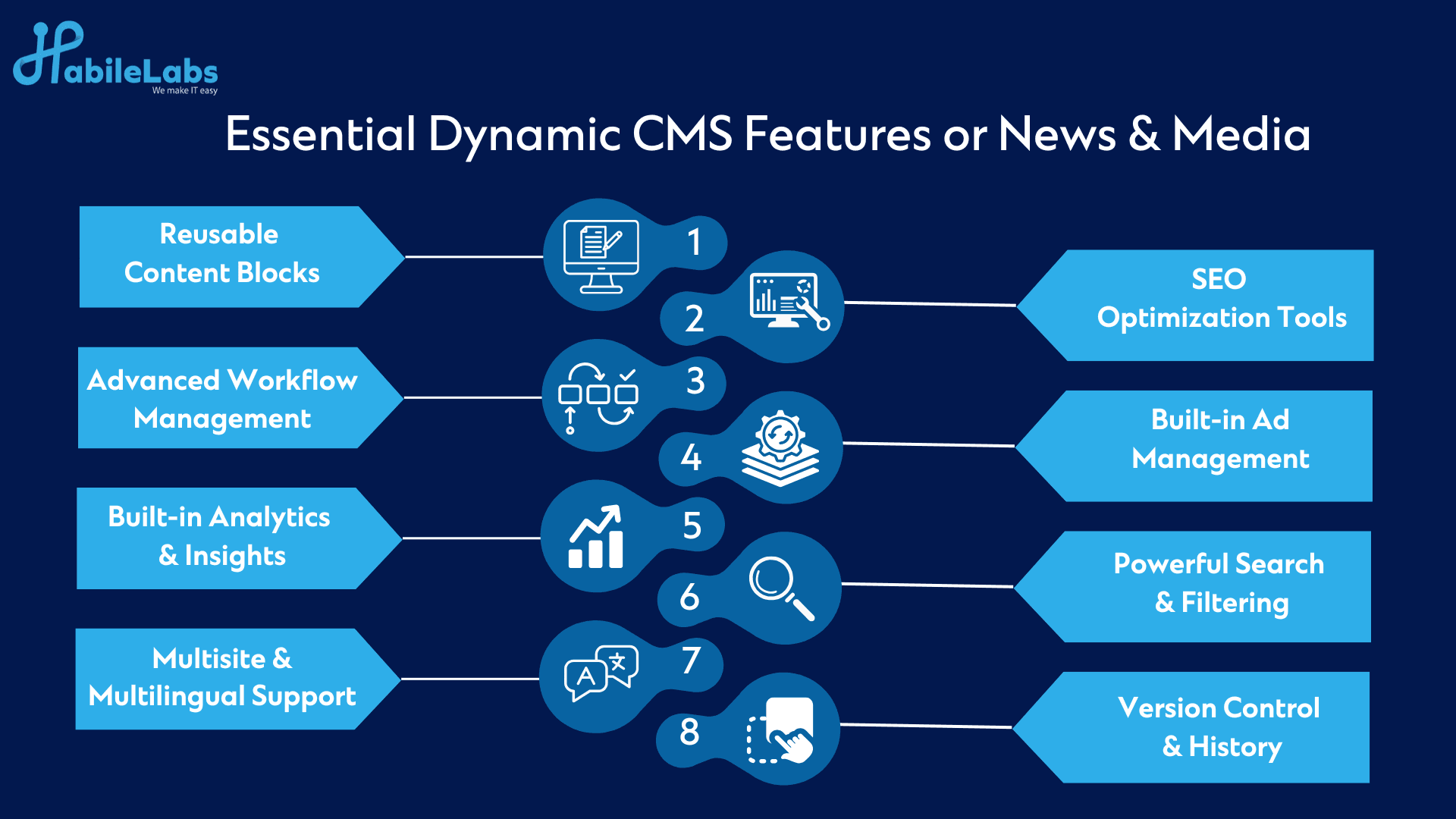
To overcome the above challenges and truly enjoy the potential of digital publishing, a news & media company must invest in a dynamic CMS equipped with the following essential features:
1. Flexible Page Formatting for Diverse Content Types
A media company juggles everything from breaking news and feature articles to quizzes, photo essays, and live videos. A modern CMS solution offers advanced page-formatting tools with customizable templates that support various formats. This ensures content creators can quickly build consistent, visually appealing layouts without always needing designer intervention.
- Pre-built themes
- Drag-and-drop page components
- Multimedia embedding for various formats such as images, quotes, and videos.
2. Reusable and Predefined Content Components
A digital newsroom needs speed without sacrificing structure. From breaking news articles and live blogs to videos, interviews, and image galleries, content needs many formatting. A dynamic CMS for news and media allows editors and journalists to use predefined components such as:
- Embeddable photo galleries
- Social media post previews
- Video containers for live streams or clips
- Ready-made quote blocks and tables
These reusable elements ensure consistency in design, enhance the reader’s comprehension, and save time for content creators by avoiding repetitive formatting. Editors can pick the right template or block and focus entirely on the message rather than the structure.
3. Advanced Workflow Management and Role-Based Permissions
In a bustling digital newsroom, managing who does what and when is vital. A dynamic CMS offers workflow customization to support content creation from pitch to publication. Key stages typically include:
- Drafting
- Review
- Proofreading
- Legal approval
- Final publishing
With role-based permissions, junior journalists may only have rights to draft content, while senior editors control what gets published. This structure not only prevents accidental deletions or premature publication but also ensures content accuracy and editorial quality.
4. Ad Management Capabilities
Advertising remains a vital revenue stream for many publications. A dynamic CMS for media houses with ad server integration such as Google Ad Manager, Revive, OpenX enables media companies to:
- Set up and manage banner ad zones
- Track ad impressions and performance
- Schedule campaigns
- Customize ad visibility based on user type or region
This flexibility supports a robust monetization strategy while maintaining editorial integrity.
5. Version Control & Change History
Mistakes happen and in a fast-moving environment, reverting to an earlier version of an article can be a lifesaver. Dynamic CMS platforms feature version control, allowing editors to:
- Track every edit made to an article
- Restore previous versions
- Compare changes over time
- Retrieve deleted content
This feature ensures editorial accountability and acts as a safeguard for both accuracy and legal compliance.
6. Publication Planning and Scheduling
News doesn’t always need to be instant. Some content goes live strategically like weekend features, special interviews, or opinion columns. With publication scheduling, editors can queue content to go live at specific dates and times, freeing up the team to focus on other tasks.
This also helps in managing content calendars, aligning with marketing campaigns, or coordinating releases across global time zones.
7. SEO Optimization via Plugins
Even the best-written article will fall flat if it doesn’t reach the intended audience. Dynamic CMS platforms integrate with SEO plugins to help journalists and editors optimize content for search engines, even if they aren’t SEO experts. These tools:
- Suggest ideal meta titles and descriptions
- Guide keyword usage
- Provide readability scores
- Recommend internal linking
- Flag issues like long paragraphs or missing tags
Ultimately, this makes content more discoverable to drive more traffic to the publication organically.
8. Advanced Search and Filtering
With years of archived content, users need more than a basic search bar. A dynamic CMS includes advanced search engines with filters such as:
- Content type (e.g., news, opinion, video)
- Topic or category (e.g., politics, sports, tech)
- Author or publication date
Some systems also support faceted search, allowing readers to narrow down results based on specific parameters, making it faster to find exactly what they’re looking for.
9. Personalization & Dynamic Display
Customizing the user experience based on reader behavior or preferences is a hallmark of a truly dynamic CMS. Examples include:
- Recommending articles based on browsing history
- Delivering location-specific news
- Showing trending topics based on user demographics
This personalized approach increases engagement, reduces bounce rates, and improves reader satisfaction.
10. Subscription and Payment Integrations
Monetization matters. Whether you’re offering freemium access, paywalled content, or monthly subscriptions, a modern CMS should integrate with payment gateways like credit cards, PayPal, or local wallets.
The CMS can also automate access based on payment status, making the process seamless for both readers and staff.
11. Value-Adding Publishing Tools Capabilities
A smart content management system simplifies repetitive tasks like:
- Auto-generating URLs
- Categorizing content
- Adding tags with a click
Look for features like scheduled publishing, so editors can plan ahead without needing to log in at odd hours.
12. Built-In Analytics and Reader Insights
A smart CMS either includes analytics dashboards or integrates easily with platforms like Google Analytics. This helps your teams track the content their audience can resonates with
- Page views
- Time on page
- Social shares and engagement
This data feeds back into content strategy which allows real-time optimization.
13. Multisite & Multilingual Management
For media houses managing multiple brands or regional editions, multisite capabilities are essential. A central dashboard can oversee all properties to ensure consistency while allowing for local customization.
14. Social Media Integration
Promotion is just as important as creation. A dynamic CMS for news and media should allow:
- Auto-posting and scheduling to social platforms
- Embedding social comments or tweets into stories
- Monitoring engagement from within the CMS
Conclusion:
Your CMS should adapt to the fast-paced, dynamic newsrooms of today. A dynamic CMS for news and media isn't just a nice-to-have; it's necessary for handling complicated editorial workflows, audience engagement, and a range of content types.
At HabileLabs, we understand the unique challenges media teams face because we’ve built solutions specifically for them. Our Corporate CMS ensures your digital broadcast is scalable and safe with an optimized search engine. This allows your editorial team to simplify content management and facilitate smooth cross-role collaboration.
Let's discuss if you want to get rid of inflexible systems and create a more intelligent, adaptable publishing structure. We would be happy to demonstrate how HabileLabs can assist you.